Your accounts, on your home screen.
Unlock your phone and your numbers are already there: gain, drawdown, today's result, every open trade. No app to open, nothing to refresh. And when something needs you, a notification tells you.
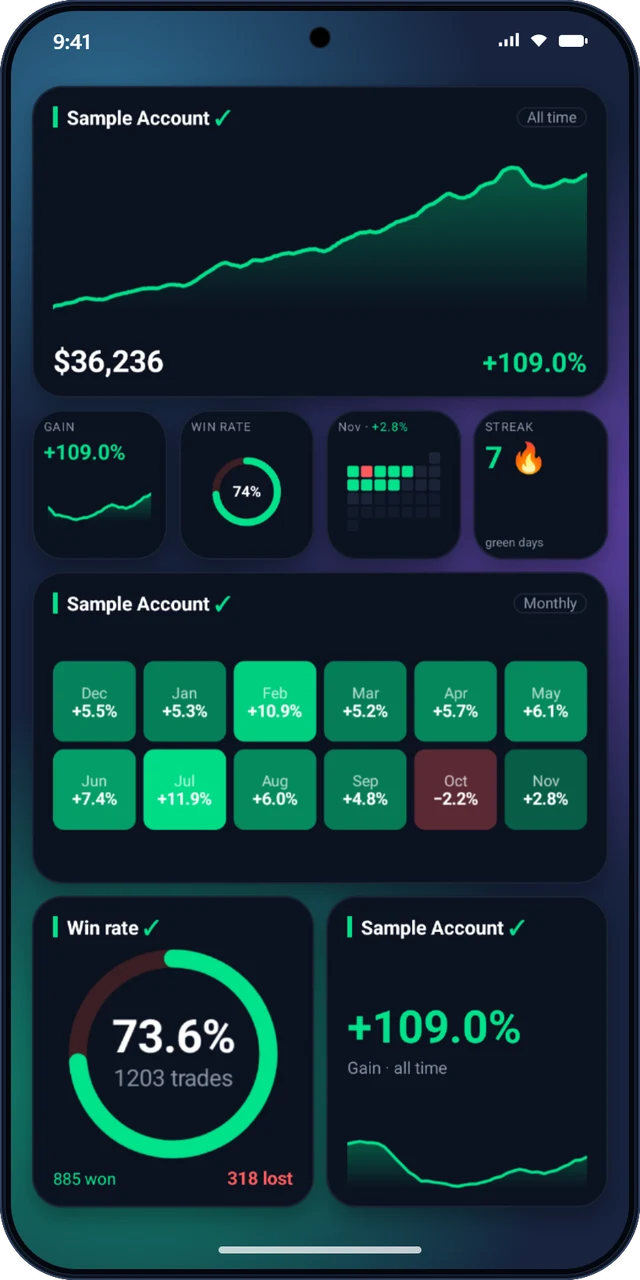
The widgets in the picture are the real ones, drawn with a sample account.
Checking an account should not take five taps. Now it takes a glance.
Widgets live on your home screen and update on their own. You see how things are going every time you pick up the phone, including the times you were not going to look.
50+ widgets. Pick what you want to see.
Each widget shows one thing well. Mix them, resize them, and build the home screen that fits the way you trade. Every one is drawn with the numbers of the account you choose.
Your account at a glance
Growth curve, gain, balance and equity, today's result, and a complete 4×4 panel when you want everything in one place.
Performance
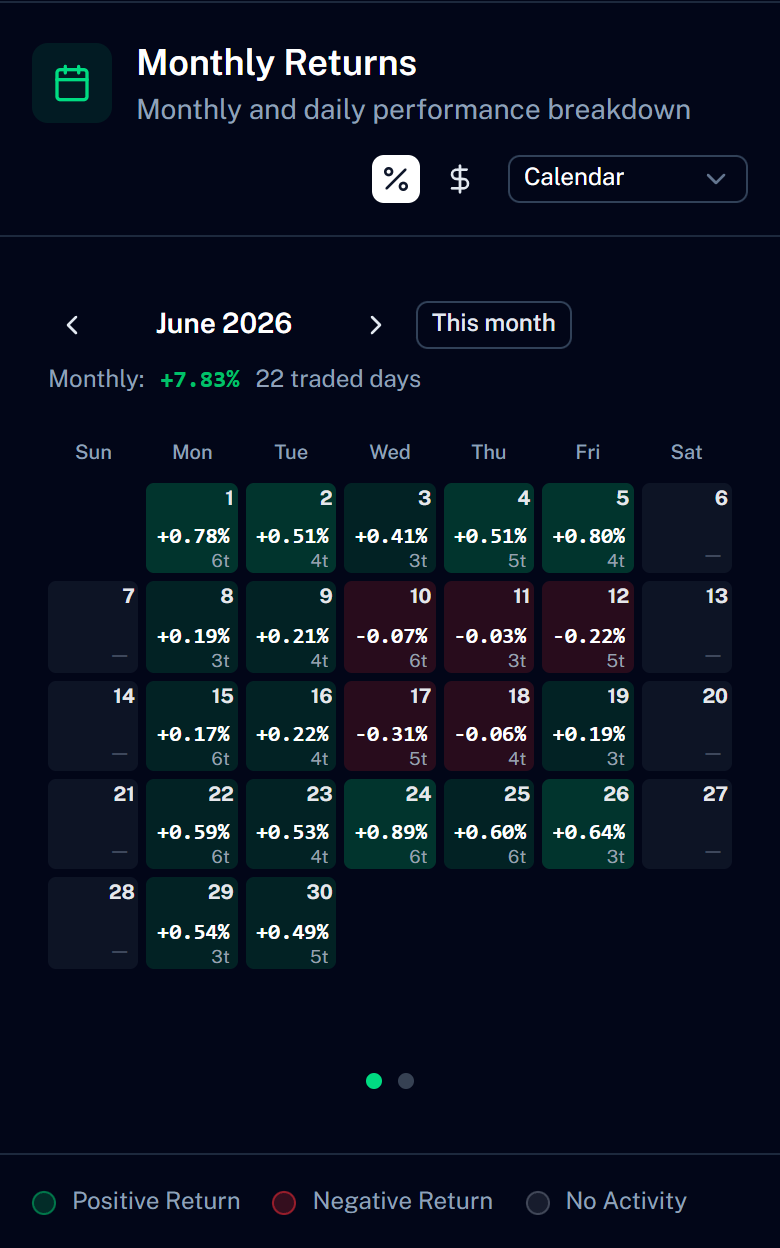
Monthly returns as bars or as a grid, the calendar of the month day by day, the week, and a period you choose: 7 days, 30 days, 90 days, year to date, all time.
Risk
Current and maximum drawdown, win rate, winning streak, best and worst trade, exposure by symbol.
Trades
Every open position with its floating profit, pending orders in a section of their own, the last closed trades, results by symbol, by weekday and by hour, long against short.
Status and safety
Whether the account is reporting, your Prop Shield rules with the room left, your daily risk and your latest alerts.
All your accounts
A list of your accounts with gain and equity, a stack you flip through, and the total across all of them.
Market, no account needed
Economic calendar, a countdown to the next event, forex sentiment and trading sessions.
Six sizes, from a single tile to the full screen
A 1×1 tile holds one number and a small chart. A 4×4 panel holds the whole account.
Gold scalper · no data from the terminal for 18 min.
Grid EURUSD drawdown at 15.2%, past your 15% limit.
When something needs you, your phone says so.
Set your thresholds once, account by account. When one is crossed, the alert arrives as a notification: you read the account name and the number without opening anything.
The limit you set is crossed, on the account you set it for.
The account stopped reporting, or autotrading was switched off.
A rule of your challenge is getting close: daily loss, maximum drawdown, profit target.
A high-impact release is coming on the currencies you chose.
The whole of ShowMyTrades, in your pocket.
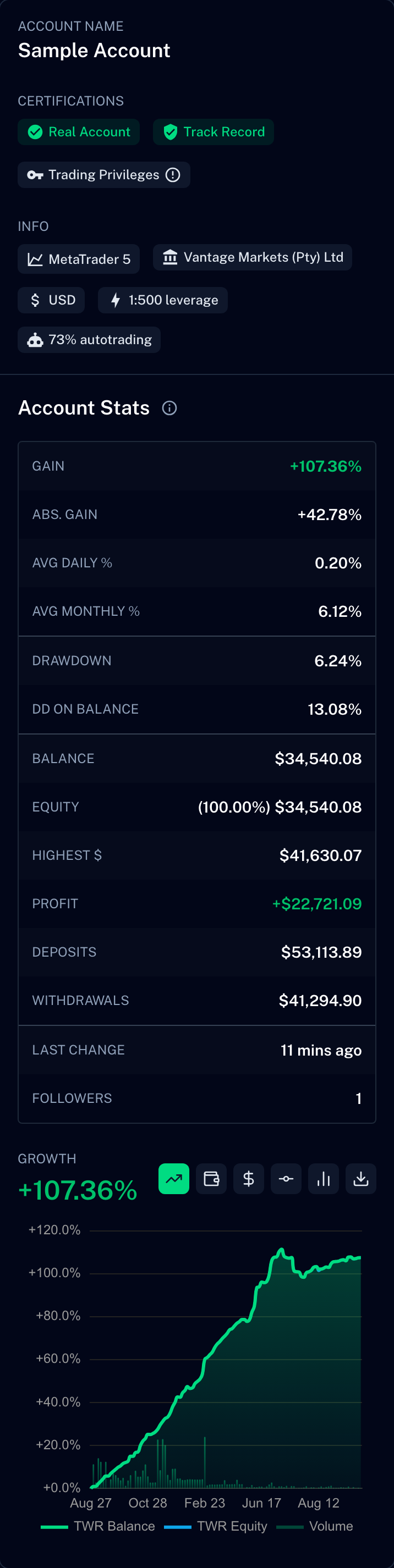
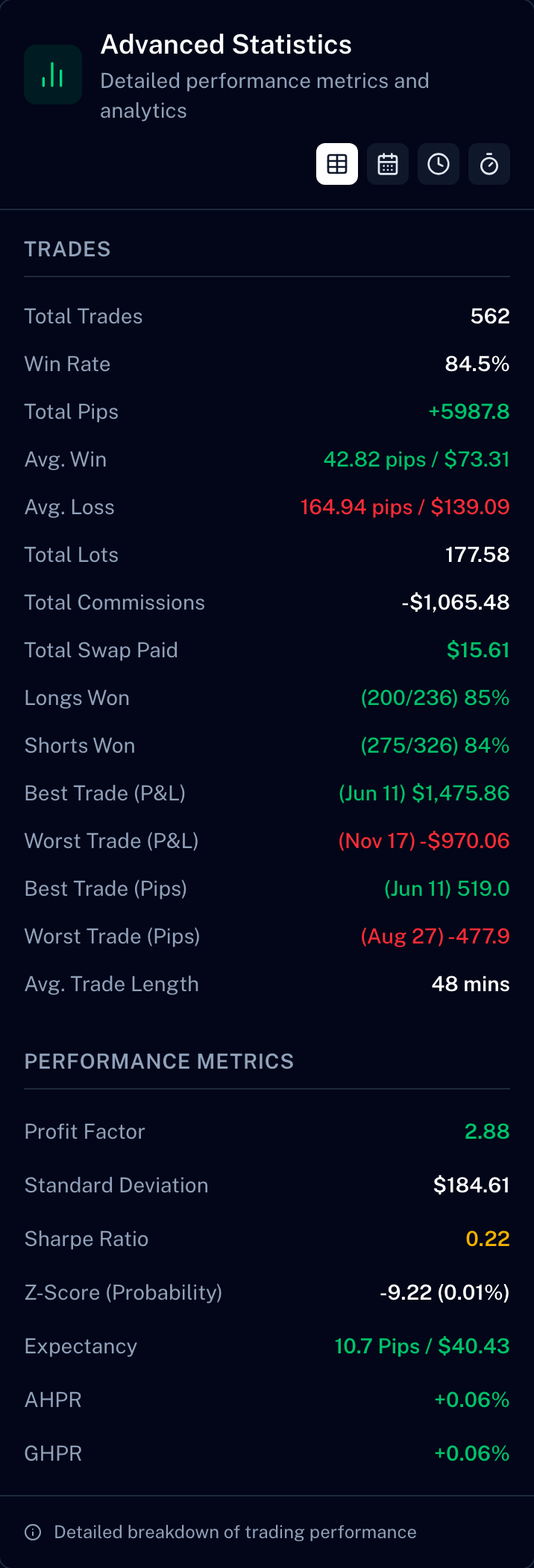
Tap a widget and the account opens. Inside the app you have what you have on the site: statistics, the trading calendar, advanced analysis, Prop Shield, your alerts and the public accounts to explore.
On your home screen in three steps
Install the app
Get it on Google Play and sign in with your ShowMyTrades account.
Long press your home screen
Choose Widgets, find ShowMyTrades and pick a size.
Pick the account
Your accounts are already listed. Choose one, see every widget of that size drawn with its real numbers, and tap Add widget.
Private stays private
Widgets work with your private accounts: nothing has to be published. Every phone you sign in from is listed in your settings, under Devices, and you can sign it out from there at any time.
Questions people actually ask
Put your accounts where you already look.
Install the app, add a widget, and the next time you unlock your phone the numbers are there.